Key Takeaways
- Barcodes are cheapest and simplest but require a technician to scan each device one at a time.
- QR codes hold more data and scan from any smartphone angle, enabling employee self-service checks.
- RFID reads tags in bulk without line of sight, making large-scale audits dramatically faster.
- Passive RFID fits most IT fleets; active RFID suits only high-value or highly mobile assets.
- All three methods only update the record at the moment of a deliberate scan.
- Automated check-in/check-out via smart lockers captures custody changes instantly, with no scan required.
If your team still audits laptops with a spreadsheet, a clipboard, and a roll of sticker labels, you know how the story ends. Someone reads a serial number wrong, a device gets logged twice, three assets are “missing” that turned out to be in a drawer, and reconciliation takes days. Before you recommend a budget line item to leadership, it helps to understand the three tracking technologies most IT teams choose between and where each one actually saves time versus where it just moves the manual work around.
Barcode, QR code, and RFID are the three most common technologies used for IT hardware asset tracking. Barcodes and QR codes require a direct line-of-sight scan and are low-cost but manual, while RFID uses radio waves to detect tagged assets in bulk without direct scanning, making it faster for large-scale audits but typically more expensive to deploy.
This guide compares each method side by side, shows how an asset audit runs under each one. We will explain why real-time and automated check-in/check-out, the model behind smart lockers and dispensing kiosks, removes errors that no manual scan can catch.
Why the Tracking Method Matters for IT Hardware
Hardware asset tracking is the practice of giving every physical device an organization owns (laptops, monitors, docks, phones, security keys), a unique, machine-readable identity, then recording where each one is, who has it, and what state it’s in across its lifecycle. The technology you pick to read that identity shapes how long an audit takes, how accurate your records stay, and whether a device that walks out the door ever gets recovered.
It isn’t only a purchasing decision. A one-time-scan technology like a barcode fits a small, centralized office where a technician can touch every device once or twice a year. A distributed workforce, such as branches, home offices, and retail floors, puts real pressure on any method that depends on a person walking up to each item. The right choice comes down to how many assets you manage, how far apart they are, and how often the record needs to be correct.
The High Cost of Inaccurate Asset Records
Bad asset data is expensive in ways that rarely show up as one line item. When you can’t prove where a device is, you buy replacements you may not need. Warranty and license renewals get paid on equipment that’s already retired. Security suffers because an untracked laptop is one nobody can confirm is encrypted, patched, or wiped when an employee leaves.
There’s a labor cost too. Every hour spent chasing a “missing” asset or hand-reconciling a spreadsheet is an hour not spent on higher-value work. And errors compound: a record that’s 90% accurate this quarter drifts lower next quarter, because manual processes create new mistakes faster than anyone corrects the old ones. The tracking method you choose either fights that drift or feeds it.
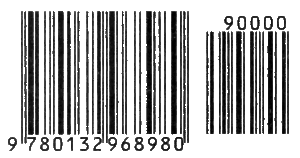
Type 1: Barcode Asset Tracking
The barcode is the oldest and cheapest of the three. A one-dimensional (1D) barcode encodes a short string of characters, usually an asset ID that points to a record in your ITAM database. Barcode symbologies and the identification keys behind them are governed by GS1, the global standards body for barcodes, which is why a scanner from one vendor reads a label printed by another.
Barcodes are strong where cost matters and asset counts are manageable:
- Low cost per asset: Printed labels cost pennies and basic scanners are inexpensive.
- Universal support: Every ITAM and inventory tool reads barcodes.
- Simplicity: Staff already know how to point and scan.
Advantages: A reliable and cheap option
A technician generates a unique ID for each asset, prints it on a durable label, and affixes it where a scanner can reach. During an audit or check-out, someone lines up a handheld scanner or phone camera with the label, the scanner decodes the ID, and the system updates the record. One device, one scan, one line at a time.
That rhythm is the whole story: reliable and cheap, but it scales linearly with headcount. Fifty assets is a quick afternoon; 5,000 across a dozen sites is a project.
Limitations: Line-of-Sight and Manual Scanning
A barcode has to be seen to be read. If the label is scratched, covered by a case, faded, or facing a wall, the scan fails, and someone has to move or re-label the device. The scanner needs a clear, close line of sight to each individual code, so every asset requires a person to physically reach it.
Because the process is manual, it’s only as accurate as the person doing it, and it only reflects reality at the moment of the scan. The instant a device moves after the audit, the record is stale again. Barcodes tell you where something was, not where it is.
Type 2: QR Code Asset Tracking

A QR code is a two-dimensional (2D) barcode, the square grid of dots familiar from menus and payments. It’s read the same way (a line-of-sight optical scan) but holds far more data and scans from any angle. QR Code is part of the GS1 barcode family and can be read with a standard smartphone camera, which is a real practical advantage.
- More data capacity: A QR code can store a record URL or richer metadata, not just a short ID.
- Phone-friendly: Any modern smartphone scans one, so no dedicated hardware is needed.
- Self-service potential: Employees can scan with their own phones, opening the door to self-reporting.
- Damage tolerance: Built-in error correction lets a partially damaged code still scan.
Advantages: Mobile-Friendly Scanning and Self-Service Potential
The biggest shift QR codes bring is that the scanner doesn’t have to be an IT technician. An employee can scan the code on their own laptop to confirm they still have it, check warranty status, or open a support ticket tied to that exact asset. That turns some audit labor into a distributed, self-service task instead of a one-person marathon.
For a distributed workforce, that matters; a remote employee can verify their own equipment without shipping it back to a central desk. It’s also why QR codes pair naturally with self-service dispensing: the same code that identifies an asset can drive a check-out flow.
Limitations: Where QR Codes Fall Short for Real-Time Visibility
For all their advantages, QR codes share the barcode’s core limitation. They still require a deliberate, line-of-sight scan. Nothing gets recorded unless a person chooses to point a camera at the code. If an employee doesn’t scan, the record doesn’t update, and across hundreds of people, that manual step won’t happen consistently.
So QR codes improve the experience of scanning and open up self-service, but on their own they don’t deliver true real-time hardware asset tracking. Between scans, your data is a snapshot, not a live picture.
Type 3: RFID Asset Tracking
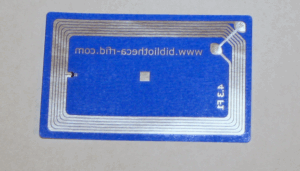
RFID (radio-frequency identification) replaces the optical scan with radio waves. Each asset carries a small tag with a chip and antenna; a reader emits a signal, and any tag in range responds with its stored ID. No line of sight, no one-at-a-time scanning. The data format on these tags follows the Electronic Product Code standard maintained by EPCglobal, a GS1 initiative for RFID, and the underlying radio protocol is the EPC UHF Gen2 air interface.
- No line of sight: Tags read through bags, boxes, and drawers.
- Bulk reading: A reader captures dozens or hundreds of tags in seconds.
- Automation: Fixed readers at doorways or in cabinets log movement with no one scanning.
Advantages: Bulk Scanning and Automated Detection
The reason RFID changes audit math is bulk detection. Instead of touching each device, a technician walks a reader through a stockroom and captures every tagged asset in seconds. Fixed readers go further and remove the human entirely. A reader at a doorway logs a laptop the moment it leaves the room, so movement is recorded as it happens rather than at the next count.
That’s the closest any tagging technology gets to real-time visibility on its own. The honest caveats: metal and liquids can interfere with UHF signals (and laptops are largely metal), tag and reader infrastructure costs more upfront, and “read everything in range” can capture tags you didn’t mean to, so read zones need careful design.
Limitations: Cost can Rise Based on the Type
RFID comes in two types, and the difference drives the budget.
- Passive RFID tags have no battery. They draw power from the reader’s signal, which keeps them cheap (often cents to a couple of dollars) but limits read range to roughly a few feet up to about 30 feet, depending on frequency and antenna. Passive tags fit most IT hardware tracking, where you control the read points.
- Active RFID tags carry their own battery and broadcast continuously, giving long read ranges (hundreds of feet) and real-time location tracking. They cost significantly more per tag and are usually reserved for high-value or highly mobile assets.
For most IT hardware inventories, passive RFID is the practical choice; active RFID is a targeted tool for specific cases.
Side-by-Side Comparison: Barcode vs. QR vs. RFID
No single method wins on every axis. Barcodes and QR codes win on cost and simplicity; RFID wins on speed and automation at scale. The table below summarizes the trade-offs IT teams weigh most often.
| Factor |
Barcode (1D) |
QR Code (2D) |
RFID (Passive) |
| Cost per asset |
Lowest. Labels cost pennies |
Low. Only labels. No special hardware |
Higher. Tags plus reader infrastructure |
| Audit accuracy |
Manual scanning. Error-prone at scale |
Same line-of-sight dependency. Self-service eases the load |
Highest for bulk counts; fewer missed or mis-keyed items |
| Scalability |
Linear. Effort grows with asset count |
Linear, but distributable via employee phones |
Non-linear. Bulk reads make large fleets practical |
| Read range |
A few inches; line of sight required |
Inches to feet; line of sight required |
~Inches to ~30 ft (passive); no line of sight |
| Best use case |
Small or centralized inventories, tight budgets |
Distributed teams wanting self-service scans |
Large-scale audits, high-volume stockrooms, and movement logging |
A practical read: many organizations run a mix: QR or barcode labeling for everyday identification, RFID where bulk audits and movement detection justify the infrastructure. The method matters less than whether the moment of custody change is captured automatically, which the next section covers.
Why Real-Time and Automated Check-In/Check-Out Using Smart Lockers Beats Manual Scanning Using All 3 Methods
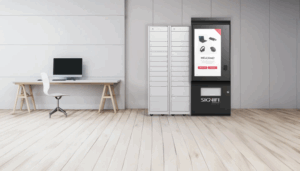
Every method above shares one weakness. The record updates only when someone performs a deliberate scan: at audit time, at a help desk, at a hand-off. In between, custody changes silently, and the data drifts out of sync with reality. The fix isn’t a better scan. It’s to capture the check-out and check-in automatically at the moment custody changes, so that there’s no manual step to forget.
A smart locker or dispensing kiosk pairs the tracking technology with the physical hand-off. When an employee authenticates and takes a laptop from a compartment, the system records who took what, when, and from where, instantly, with no scan and no technician. When they return it, the same thing happens in reverse. The identification technology (barcode, QR, or RFID) still identifies the asset, but the event is captured by the machine, not by a person choosing to log it.
That’s the difference between tracking an asset and controlling it. A software-only ITAM tool can hold a record; it can’t physically dispense a device or take one back. Smart lockers and kiosks add that physical layer, which is why they increasingly sit inside distributed hardware strategies. Our overview of ITAM self-service kiosks for hardware distribution goes deeper into how these fit into an IT operation.
It Eliminates Audit Discrepancies at the Source
When every custody change is logged automatically, the audit stops being a periodic scramble and becomes a continuous, current record. Discrepancies don’t accumulate between counts because there’s no gap between what happened and what got recorded. Ghost assets shrink, missed scans disappear, and the stale-record problem, the one no scanner solves, is designed out of the process.
Put plainly: barcodes, QR codes, and RFID answer how do we identify this asset? Automated check-in/check-out answers how do we keep the record true without depending on people remembering to scan? The strongest programs use both – solid identification, captured automatically at the point of custody.
How Signifi Can Help With Hardware Asset Tracking
Understanding the trade-offs between barcode, QR, and RFID is the easy part. The hard part is running accurate tracking across a distributed workforce, 24/7, without adding help-desk load, an execution problem, not a knowledge one.
Signifi builds self-service hardware that captures custody automatically at the point of exchange. The Tech Express Desk (TED) IT dispensing kiosk, HD Smart Lockers, and Security Key Dispenser let employees pick up and return laptops, peripherals, and keys on their own, at any hour, while every transaction is logged in real time. All of it runs on one platform, SignifiVISION™, which integrates with ITSM systems like ServiceNow and Remedy through RESTful APIs, so asset events flow straight into the workflows your team already uses.
What sets this apart is vertical integration: Signifi designs, engineers, and builds its own hardware in-house, so the equipment is field-reconfigurable without hardware swaps and ADA/508-compliant, and the hardware and software work as one system rather than a bolt-on. The result is lifecycle visibility from provisioning to retirement, fewer tickets, less asset loss, and IT staff freed from manual hand-offs. Explore the full IT asset management solutions, or contact us to learn how self-service dispensing can unburden your IT team.
Frequently Asked Questions
Should we use barcode, QR code, or RFID for tracking laptops and equipment across multiple office locations, and which one actually reduces audit time?
For multiple locations, RFID reduces audit time the most: bulk reads let a technician count a room in seconds, and fixed readers log movement automatically. Barcodes and QR codes stay cheaper and simpler but scale linearly. Effort grows with every device. The largest savings comes from removing the manual scan entirely with automated check-in/check-out, so the record stays current between audits instead of being rebuilt each time.
What’s the difference between a barcode and a QR code for asset tracking?
A barcode is one-dimensional and stores a short ID; a QR code is two-dimensional, holds much more data (like a full record URL), scans from any angle, and reads with a standard smartphone camera. Both still require a line-of-sight scan, so QR codes improve convenience and self-service but don’t remove the manual step.
Is RFID worth the extra cost over barcodes for IT hardware?
It depends on scale and how often you need accuracy. RFID’s tag and reader infrastructure costs more upfront, but for large inventories or frequent audits, the labor saved by bulk reading and automated movement detection often justifies it. Smaller, centralized environments frequently get everything they need from barcodes or QR codes.
Can RFID track laptops if they’re mostly metal?
It can, but metal and liquids interfere with UHF radio signals, so tag placement and reader positioning need care. Vendors offer on-metal RFID tags designed for this, and read zones should be tested against your actual devices. This is one reason many teams pair RFID with a physical control point like a locker, where read conditions stay consistent.
What is real-time hardware asset tracking?
It’s a model where the asset record updates the instant custody changes, rather than at the next scheduled scan or audit. Continuous RFID reads and automated check-in/check-out through smart lockers or kiosks both support it, keeping your inventory current every day instead of only on audit day.
Do I still need asset tags if I use smart lockers?
Yes. The locker captures the event: who took what and when. But you still need a machine-readable identity (barcode, QR, or RFID) on each device to tie that event to the right record and support tracking outside the locker. The two layers work together: identification plus automatic custody capture.

